OnAir+ — Live Streaming for Flarum 2

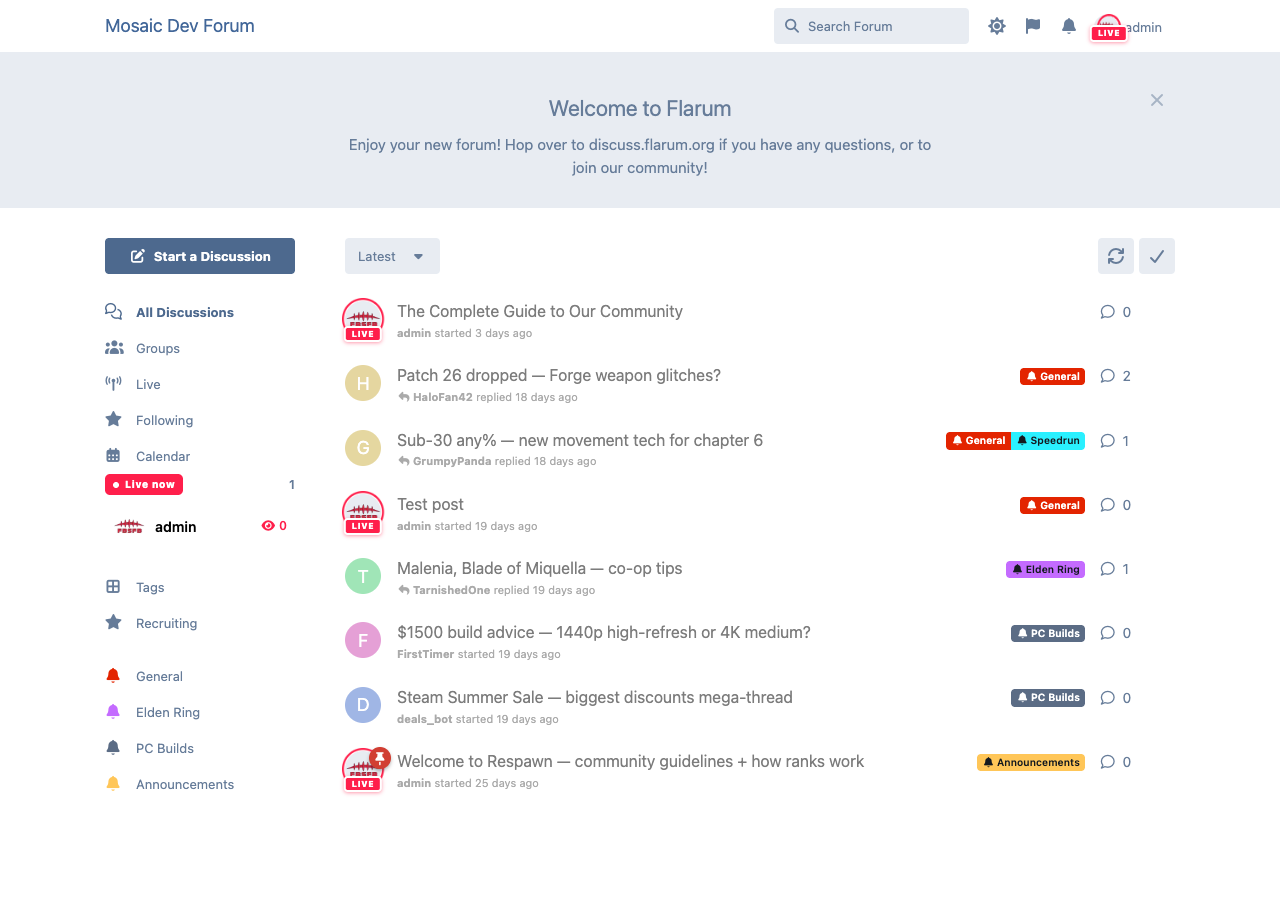
Bring live video into your community. Members go live from YouTube or Twitch,
and a LIVE NOW badge follows their avatar everywhere it appears — posts, the
discussion list, mentions, the header, the sidebar.
Free / MIT. The optional premium add-on OnAir+
turns your forum into the whole platform — a built-in RTMP server (stream straight in
from OBS), in‑forum HLS playback, multistream, VOD, live chat, go‑live notifications and
scheduled streams. See the comparison below.
Features
- 🔴 LIVE badge on every avatar — one
Avatar override lights a streamer up everywhere.
- ▶️ YouTube + Twitch embed viewer — paste a channel/video URL and go live.
- 📡 Presence with graceful fallback — uses
flarum/realtime for instant badge
updates when installed, transparently falls back to lightweight polling when it isn't.
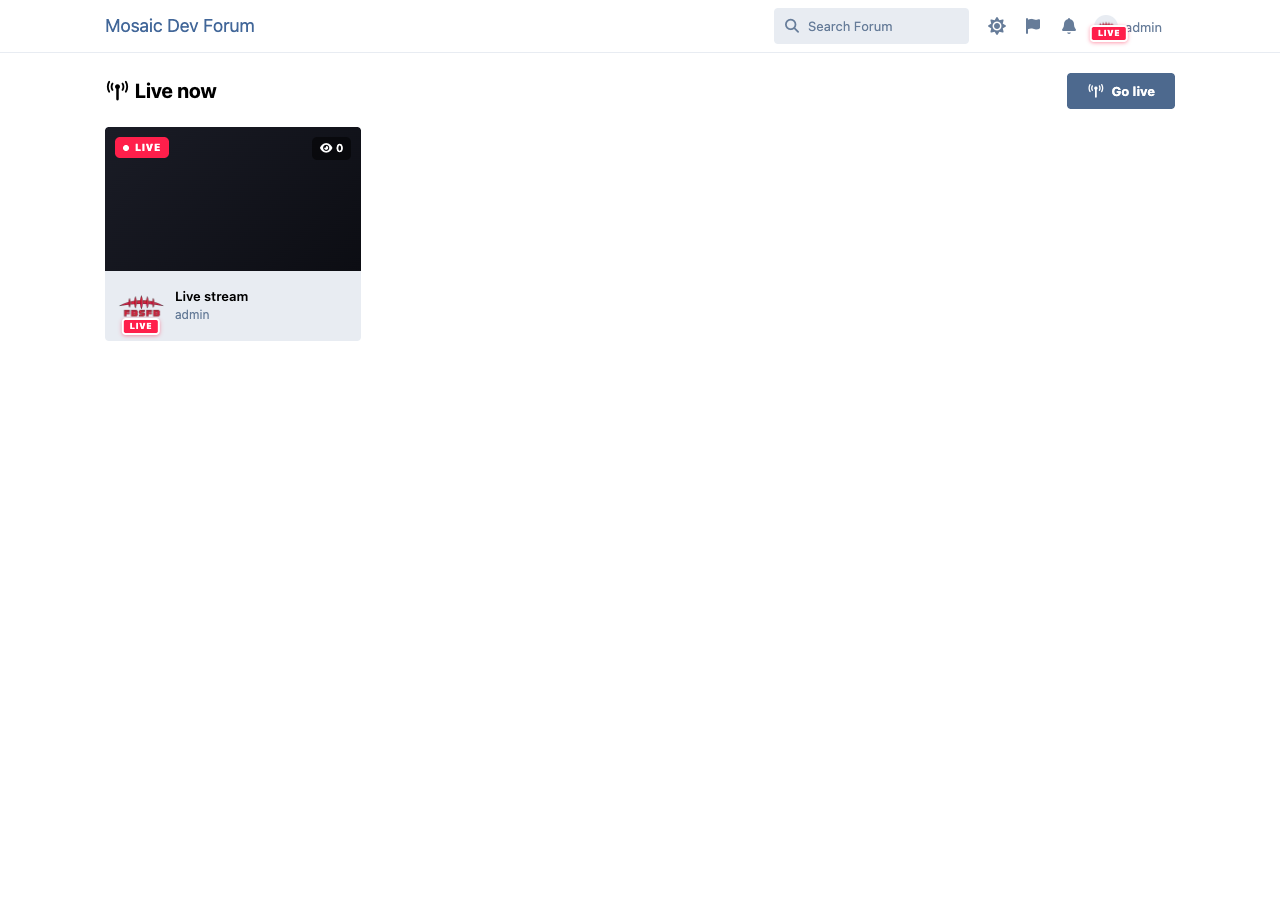
- 🟥 Live Now widget + a
/onair directory — see who's streaming at a glance.
- 🔐 Permissions + admin settings — who can go live, default provider, poll interval.
- ⏱️ Stale‑stream reaper — auto‑ends streams left running.
The Live directory
OnAir vs OnAir+
OnAir (this extension) is free and complete on its own for YouTube/Twitch streamers.
OnAir+ is a paid add‑on for communities that want to host streaming themselves.
| | OnAir (free) | OnAir+ |
|---|:---😐:---😐
| LIVE badge on avatar, everywhere | ✅ | ✅ |
| Live Now widget + /onair directory | ✅ | ✅ |
| YouTube embed viewer | ✅ | ✅ |
| Twitch embed viewer | ✅ | ✅ |
| Realtime presence + polling fallback | ✅ | ✅ |
| Permissions + admin settings | ✅ | ✅ |
| Auto‑end stale streams | ✅ | ✅ |
| Built‑in RTMP server → in‑forum HLS | — | ✅ |
| Stream keys + creator studio | — | ✅ |
| Multistream / restream to YouTube + Twitch | — | ✅ |
| VOD recordings | — | ✅ |
| Live chat overlay | — | ✅ |
| Go‑live notifications + follow a streamer | — | ✅ |
| Scheduled streams + reminders | — | ✅ |
| Concurrent viewer counts | — | ✅ |
OnAir+ — stream straight into the forum
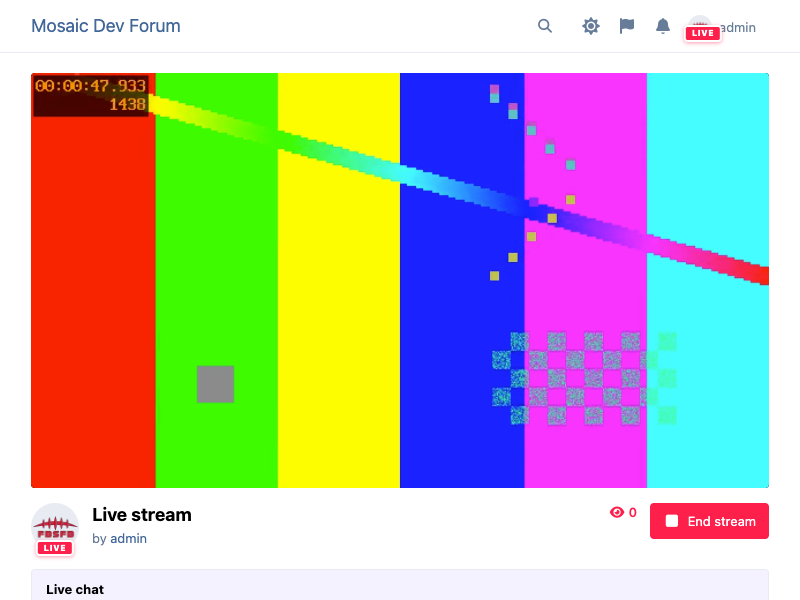
Members broadcast from OBS to your own server; viewers watch an hls.js player inline,
with live chat beside it.
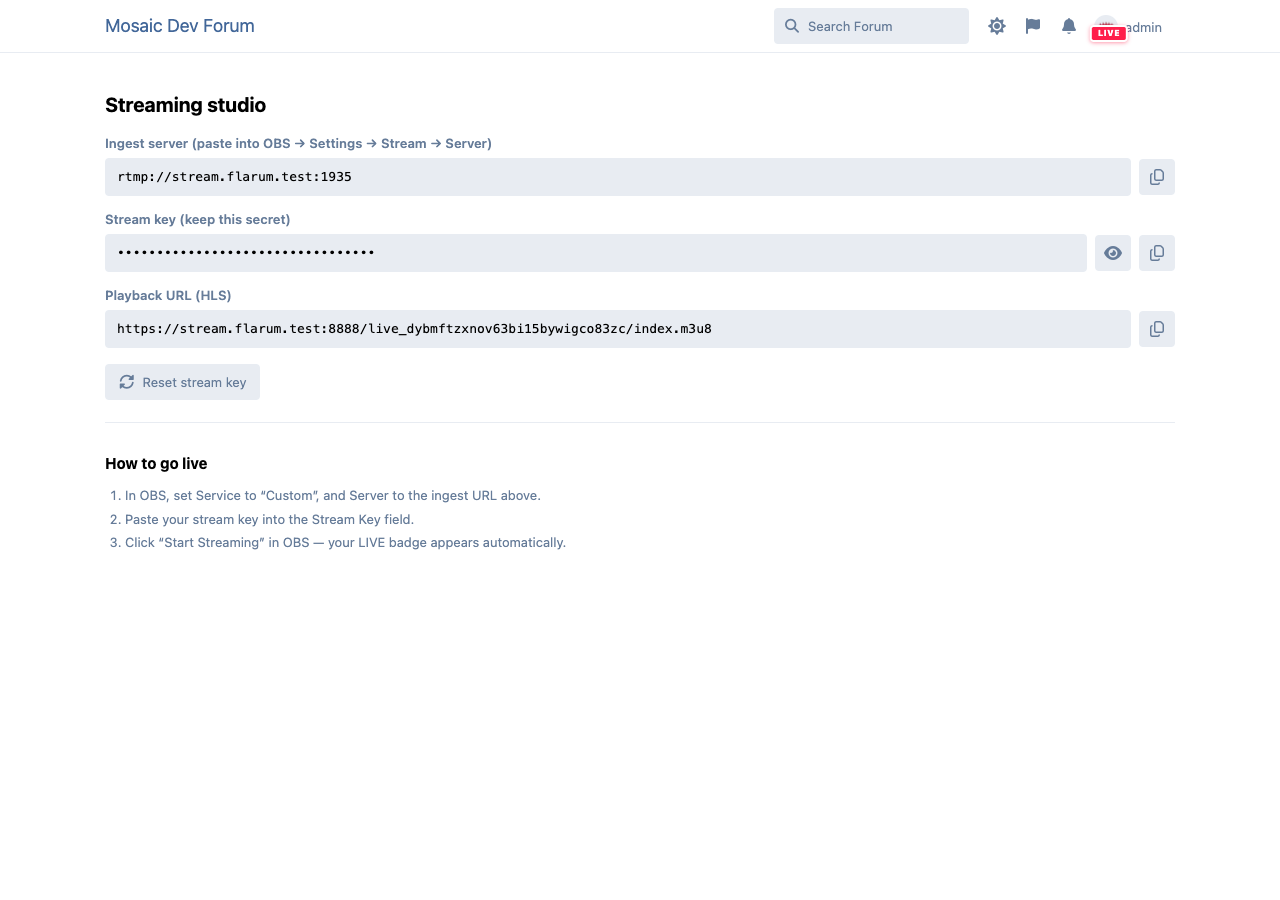
OnAir+ — creator studio
Each streamer gets an ingest URL, a secret stream key, multistream targets, and a one‑click
key reset.
Install
composer require ernestdefoe/onair
Then enable OnAir in the admin panel. Optionally install flarum/realtime for
instant (push) LIVE badges — OnAir detects it automatically. For self‑hosted streaming,
add OnAir+ (composer require ernestdefoe/onair-pro).
Development
cd js
npm install
npm run build # or: npm run dev (watch)
A no‑backend concept render of the whole product lives in preview/index.html.
Architecture notes
- LIVE badge: overrides the shared
Avatar component (main‑bundle, safe to extend at
init) and reads a serializer‑supplied user.isLive().
- Presence transport:
app.onair.presence picks RealtimeTransport when
flarum/realtime is detected, else PollingTransport; both expose the same API.
- Providers:
app.onair.providers (JS) + the StreamProvider interface (PHP) are the
extension points OnAir+ plugs its RTMP/HLS provider into.
License
MIT © Ernestdefoe

