Advanced Cookie Consent
A GDPR / ePrivacy-style cookie consent extension for Flarum 2. Free and MIT-licensed.
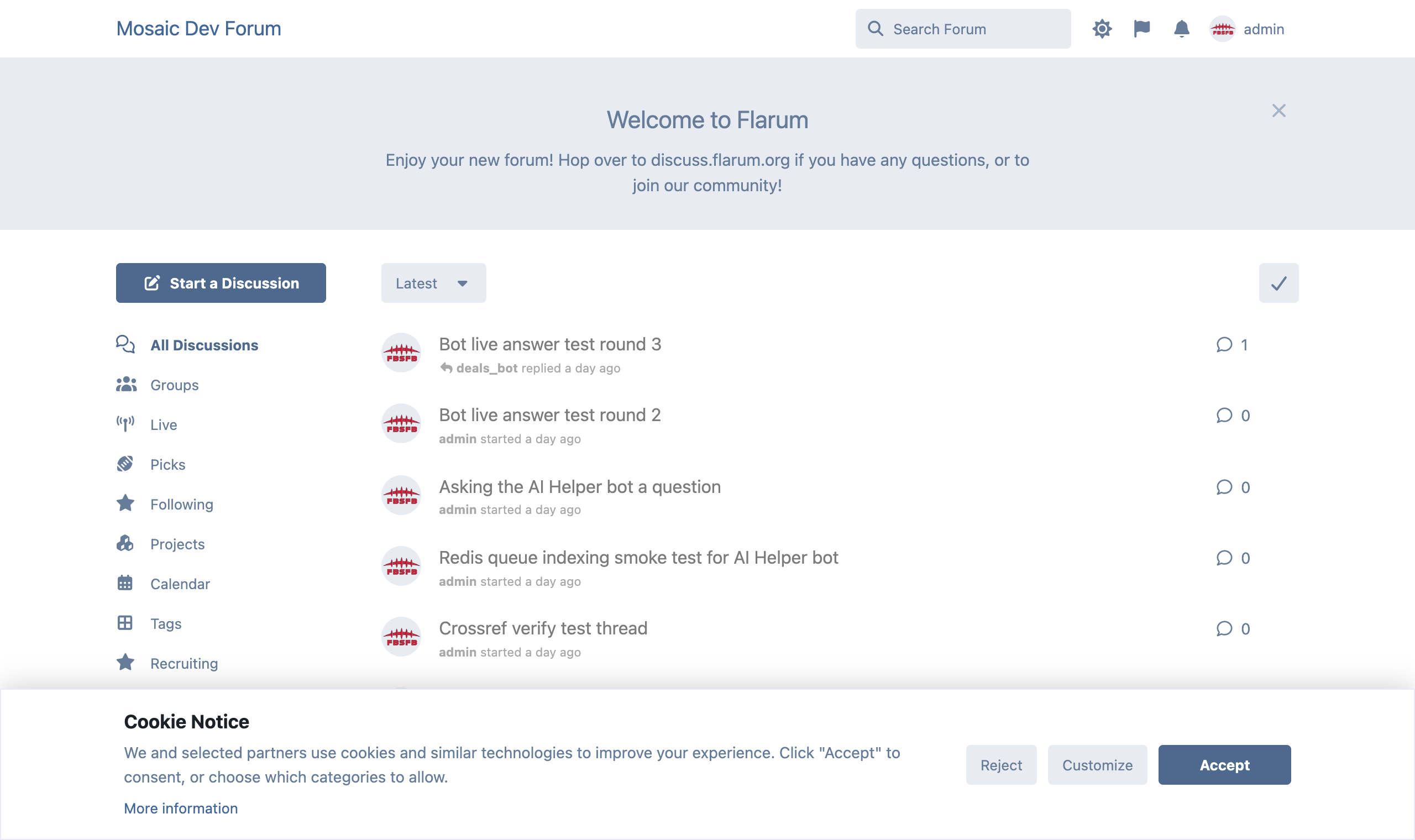
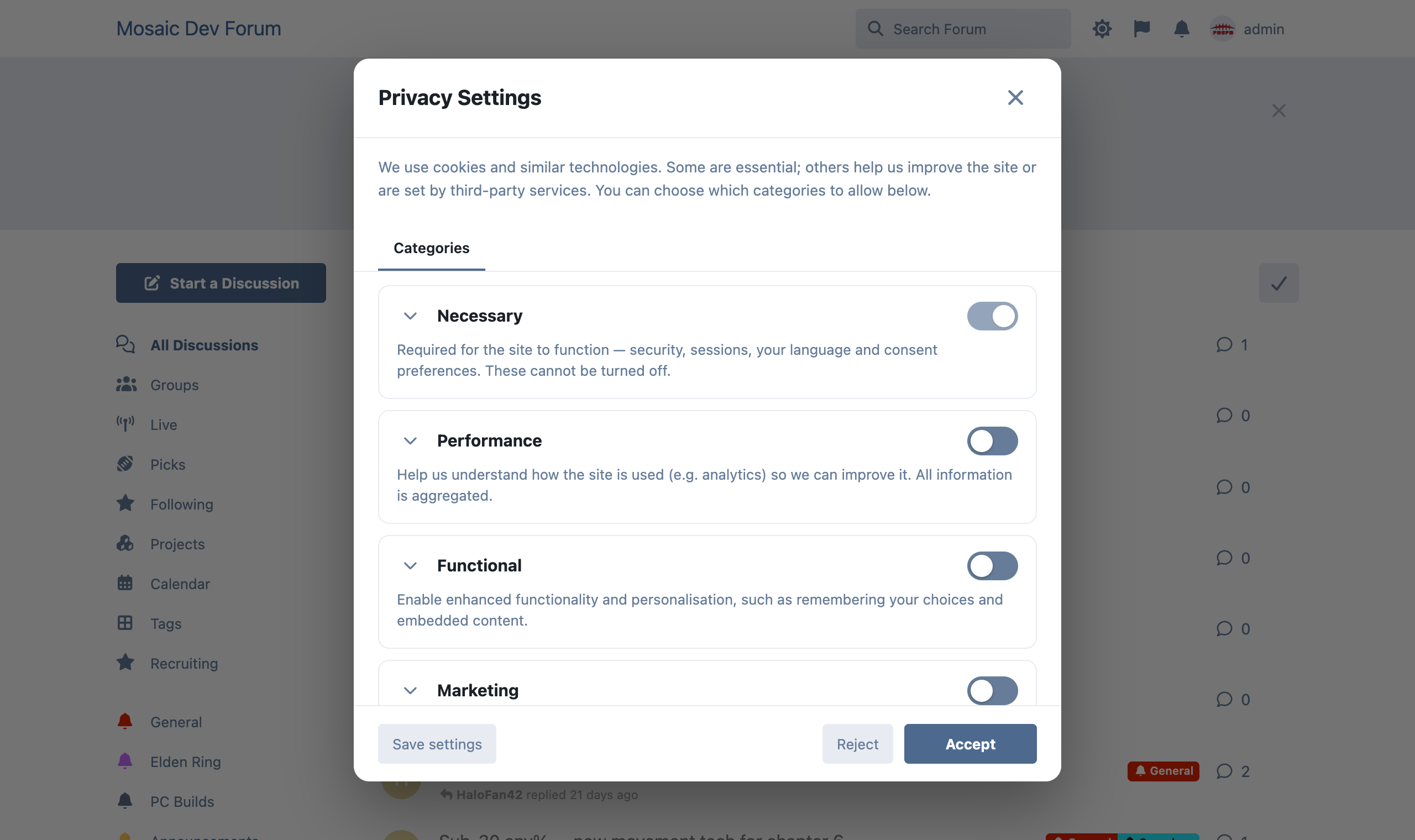
Shows a clean cookie notice with Accept / Reject / Customize, and a granular Privacy Settings dialog with consent categories and a per-service transparency view — and, crucially, it can gate third-party scripts so they only load after consent.
Features
- Cookie notice banner (bottom bar, corner box, or centered) with Accept, Reject and Customize, plus your Privacy Notice link.
- Granular Privacy Settings modal — per-category toggles (Necessary is always on) with expandable detail, plus a Services tab listing the third-party services and cookies in each category.
- Script gating — two ways to ensure tags only run after consent:
- Paste scripts per category in the admin panel; they load when that category is accepted.
- Mark any script on the page as
<script type="text/plain" data-cc-category="marketing">…</script> and it activates on consent.
- Admin-defined categories (rename, add, remove, mark required) — defaults: Necessary, Performance, Functional, Marketing.
- Consent versioning — bump the version to re-prompt everyone when your policy changes.
- Do Not Track / Global Privacy Control — optionally auto-reject non-essential categories when the browser sends an opt-out signal.
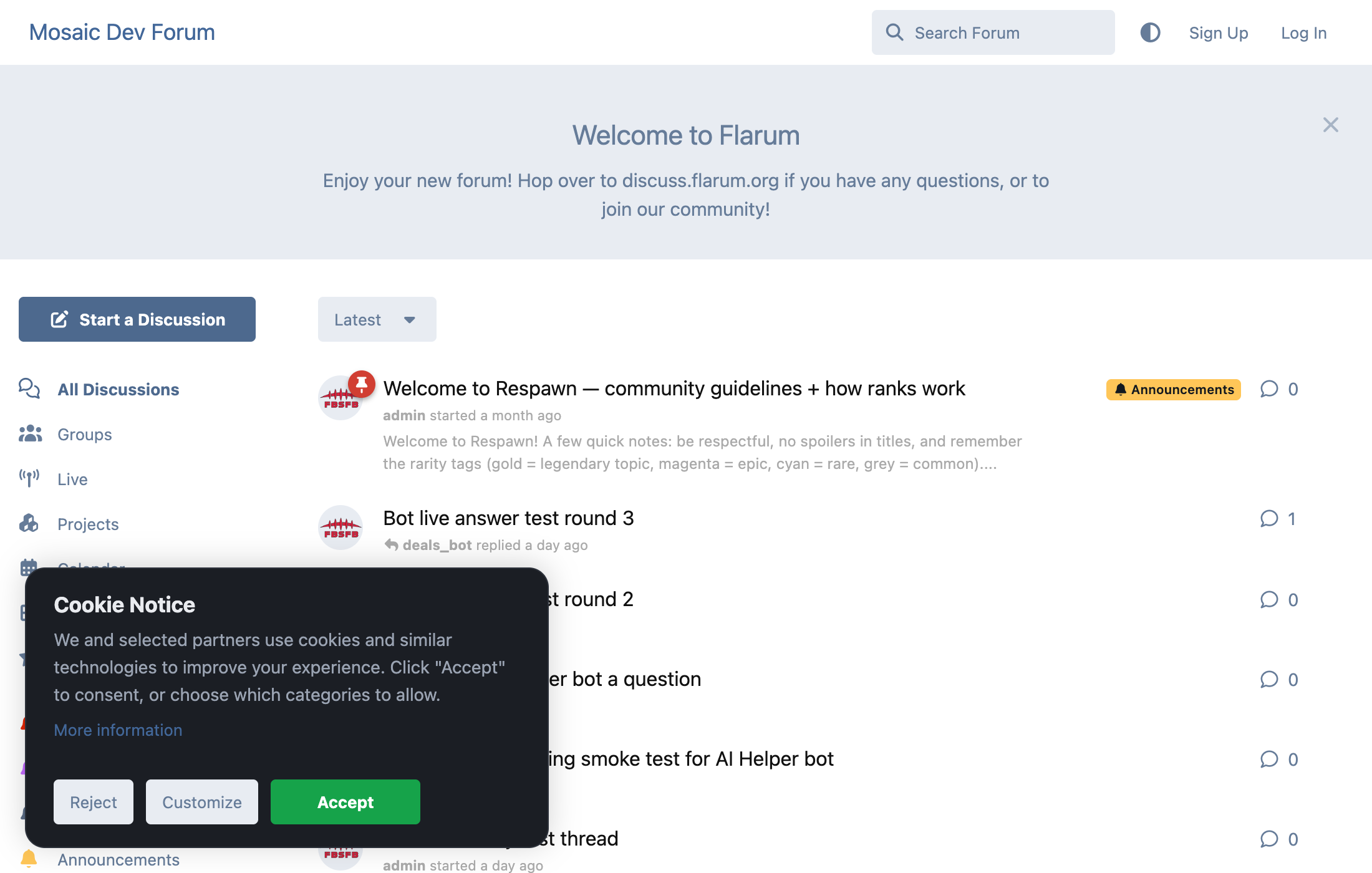
- Fully stylable — layout (bottom bar / corner box / centered), light / dark / auto theme, custom accent colour, box width and corner radius, so it fits any site and screen size.
- Reopen anytime — a "Cookie settings" link, plus a JS API so a theme can place its own trigger.
- Fully translatable; consent is stored locally (no personal data leaves the browser).
Screenshots
| Cookie notice | Privacy settings |
| --- | --- |
|  |
|  |
|
Fully stylable so it fits any forum — choose the layout (bottom bar / corner box / centered), a light/dark/auto theme, your own accent colour, box width and corner radius:
JavaScript API
window.cookieConsent.open(); // re-open the settings dialog
window.cookieConsent.accepted('marketing'); // boolean
window.cookieConsent.onChange((c) => { /* … */ });
window.cookieConsent.acceptAll();
window.cookieConsent.rejectAll();
Installation
composer require ernestdefoe/advanced-cookie-consent
php flarum cache:clear
Then open Admin → Advanced Cookie Consent to set your text, categories and scripts.
License
MIT
