Connect for Flarum 2
Automation for your forum. Connect gives Flarum 2 outgoing webhooks, a
scoped REST API, and an in-app if-this-then-that Rules engine. Wire your
community up to Zapier, Make, IFTTT, n8n — or automate things right on the
forum with no external service at all.
Free and MIT-licensed.


What it does
Connect covers both directions of automation:
- Out of your forum → anywhere. When a discussion is started, a reply is
posted, or a user registers, Connect fires a signed webhook to whatever URL
you (or a Zap) subscribed. Perfect for Zapier/Make/IFTTT/n8n triggers.
- Anywhere → into your forum. A scoped API key lets an external service
create discussions and replies as a real user, through Flarum's own API — so
every permission and validation rule still applies.
- Inside your forum. The built-in Rules engine runs trigger → conditions
→ actions entirely on your server. No third-party account, no per-task billing,
no data leaving the box.
Set it all up without leaving your forum
Connect embeds Zapier's official experience right in your admin panel. Browse
6,000+ apps, pick a recipe — Share new discussions to a Facebook Page, Post to
Slack, Add members to Mailchimp — and build or manage Zaps in place. No tab
switching, no developer knowledge required.
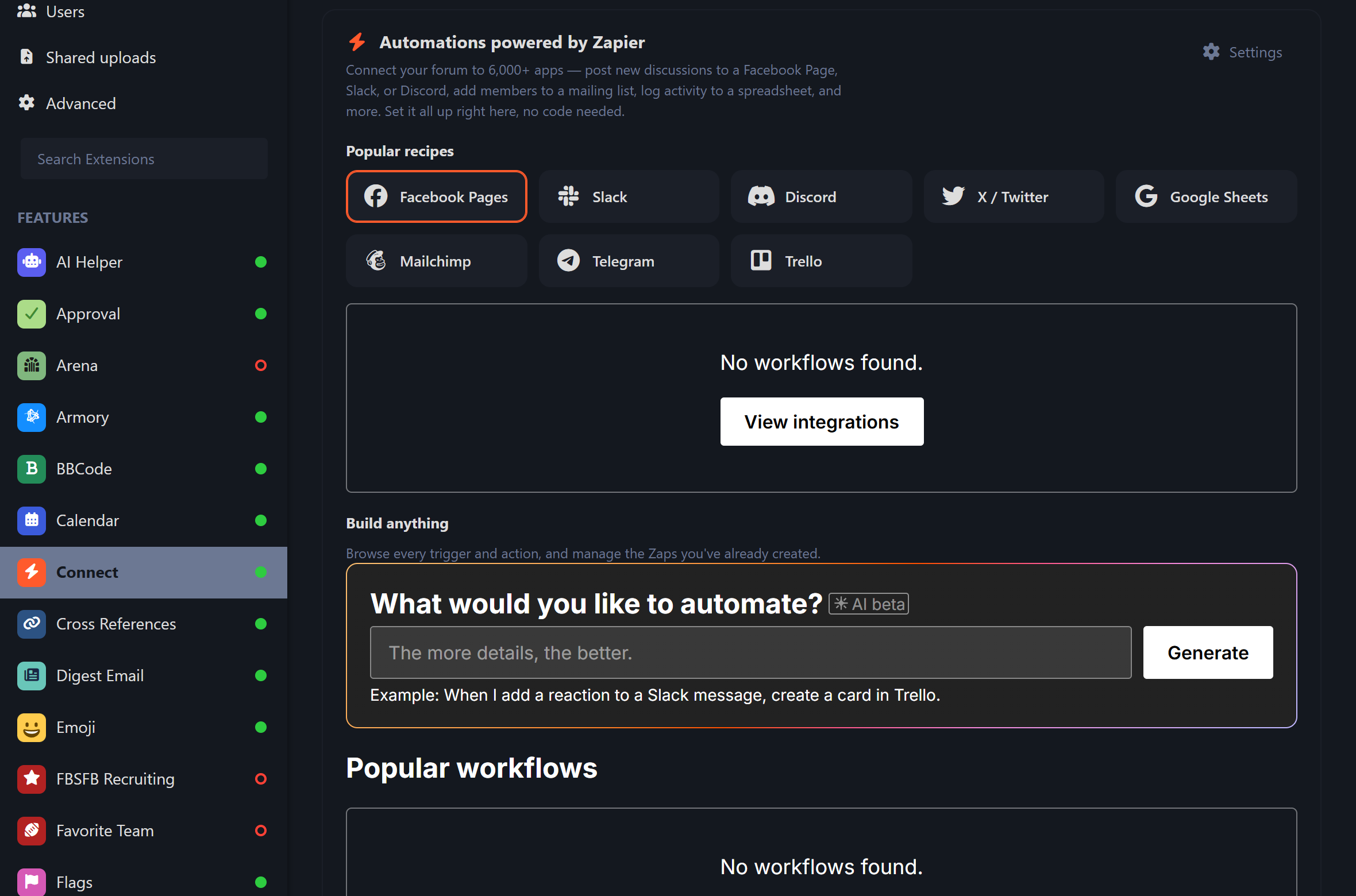
Paste your Zapier integration's Client ID once (Admin → Connect) and the full
experience appears, themed to match your forum. Prefer Make, n8n, or IFTTT?
They all work off the same REST API and webhooks.
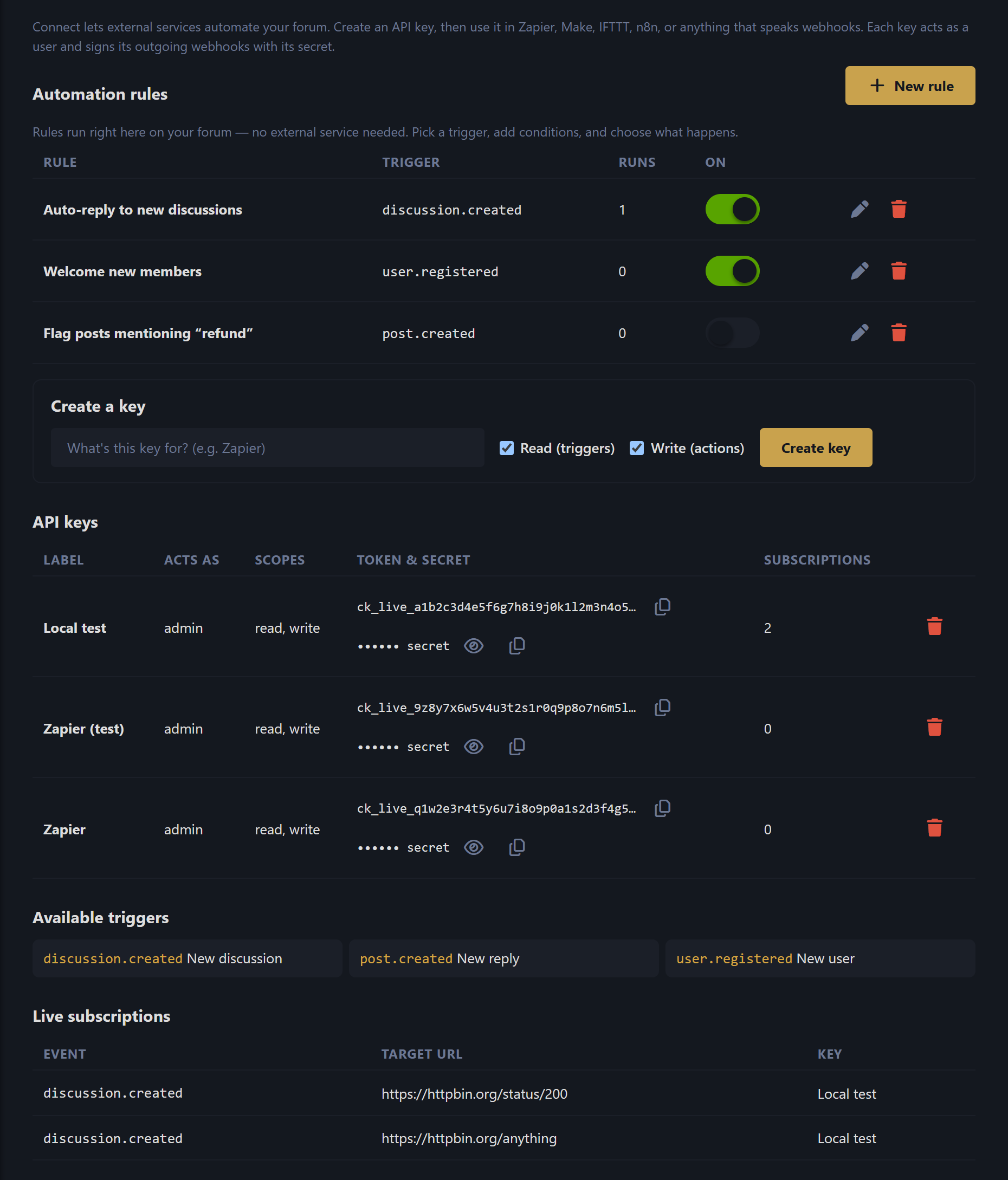
Automation rules (no external service needed)
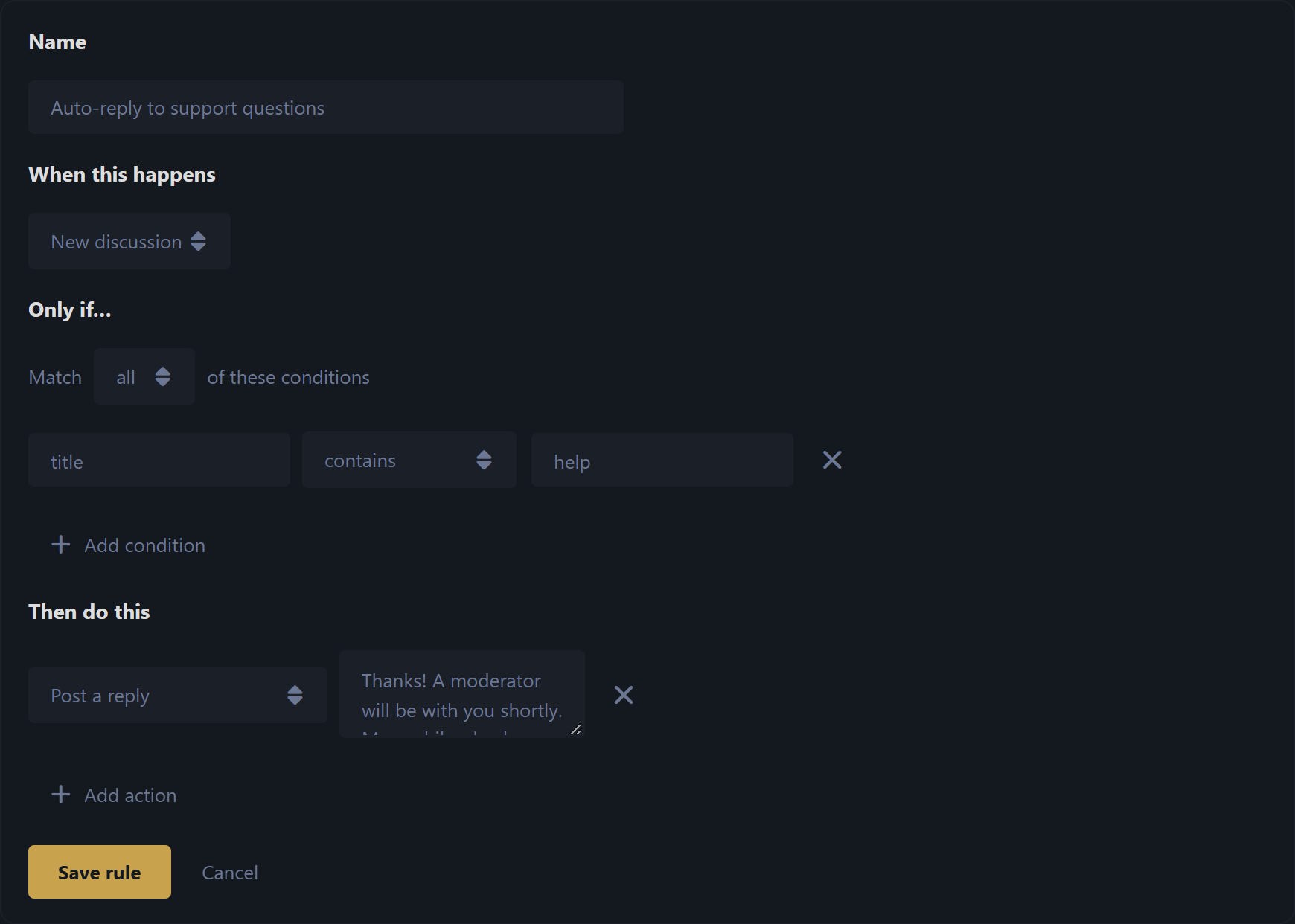
Pick a trigger, add optional conditions, and choose one or more
actions. Rules run on a queue, off the request path, so they never slow down
the person who triggered them.
Triggers
| Event | Fires when |
| --- | --- |
| discussion.created | someone starts a new discussion |
| post.created | someone posts a reply |
| user.registered | a new member signs up |
Conditions — match all or any of a list. Each condition compares a
payload field (e.g. title, content, tagList) using one of:
is, is not, contains, does not contain, starts with, is greater than,
is less than, is empty, is not empty, matches (regex).
Actions
| Action | What it does |
| --- | --- |
| Post a reply | replies to the discussion the event is about |
| Add / remove a tag | requires flarum/tags |
| Add / remove from a group | changes the involved user's groups |
| Call a webhook | POSTs the event payload to a URL you choose |
Actions are isolated — if one fails, the rest of the rule still runs — and each
rule tracks how many times it has run.
Connecting Zapier / Make / IFTTT / n8n
- In Admin → Connect, create an API key. Give it a label (e.g. Zapier) and
the scopes it needs — Read for triggers, Write for actions.
- Copy the token (
ck_…) and secret (cs_…).
- In your automation tool, add a webhook that authenticates with
Authorization: Bearer ck_….
- To receive forum events, subscribe your tool's catch-hook URL (Zapier
does this automatically via REST Hooks — see the API below).
- To act on the forum, POST to the action endpoints.
Every outgoing delivery is HMAC-signed so you can verify it really came from
your forum:
X-Connect-Signature: sha256=<hex>
valid ⇔ signature == 'sha256=' + hmac_sha256(rawRequestBody, keySecret)
REST API
All routes are under your forum's API root (/api). Authenticate with
Authorization: Bearer ck_….
| Method | Endpoint | Purpose |
| --- | --- | --- |
| GET | /connect/me | Who this key acts as (auth test) |
| POST | /connect/hooks | Subscribe: { event, targetUrl } → REST Hook, returns { id } |
| DELETE | /connect/hooks/{id} | Unsubscribe |
| GET | /connect/samples/{event} | Recent real items shaped like the payload (Zap setup) |
| POST | /connect/actions/discussions | Create a discussion { title, content } |
| POST | /connect/actions/posts | Reply to a discussion { discussionId, content } |
A 410 Gone from a subscribed target auto-prunes the subscription — so a Zap you
turn off cleans itself up.
Example
# What does this key act as?
curl https://your-forum.example/api/connect/me \
-H "Authorization: Bearer ck_live_xxx"
# Create a discussion as the key's user
curl -X POST https://your-forum.example/api/connect/actions/discussions \
-H "Authorization: Bearer ck_live_xxx" \
-H "Content-Type: application/json" \
-d '{"title":"Posted from Zapier","content":"Hello from an automation!"}'
Installation
composer require ernestdefoe/connect
Then enable Connect in Admin → Extensions. Make sure a queue worker is
running (php flarum queue:work) so webhooks and rule actions are delivered.
The tag actions light up automatically if flarum/tags is installed; everything
else works on a stock forum.
Minting a key from the CLI
php flarum connect:key "My key" --scopes=read,write
Requirements
- Flarum
^2.0
- PHP
^8.3
- A running queue worker (recommended — webhooks and rule actions are queued)
License
MIT © Ernest Defoe
